The intuitive, secure, AI-powered receipt keeping app.

Spend, scan, done. Your team captures receipts at the point of sale, and Weel codes the expense, attaches the receipt and closes it out.

4.5 stars
Based on reviews from
A row of logos, including Apple App Store, Google App store, Xero App Store, G2

Join 4,000+ finance teams in Australia and New Zealand completing every expense with Weel.

Paperless receipt scanning and storing

Available on both Android and Apple iOS.
Snap a photo after you pay and AI-powered OCR fills out the expense report.
GST follows your tax rules, and reads straight off the receipt if applicable. So nobody misses a claim.
The receipt is stored against the expense - filled and categorised, so reconciliation has everything it needs.

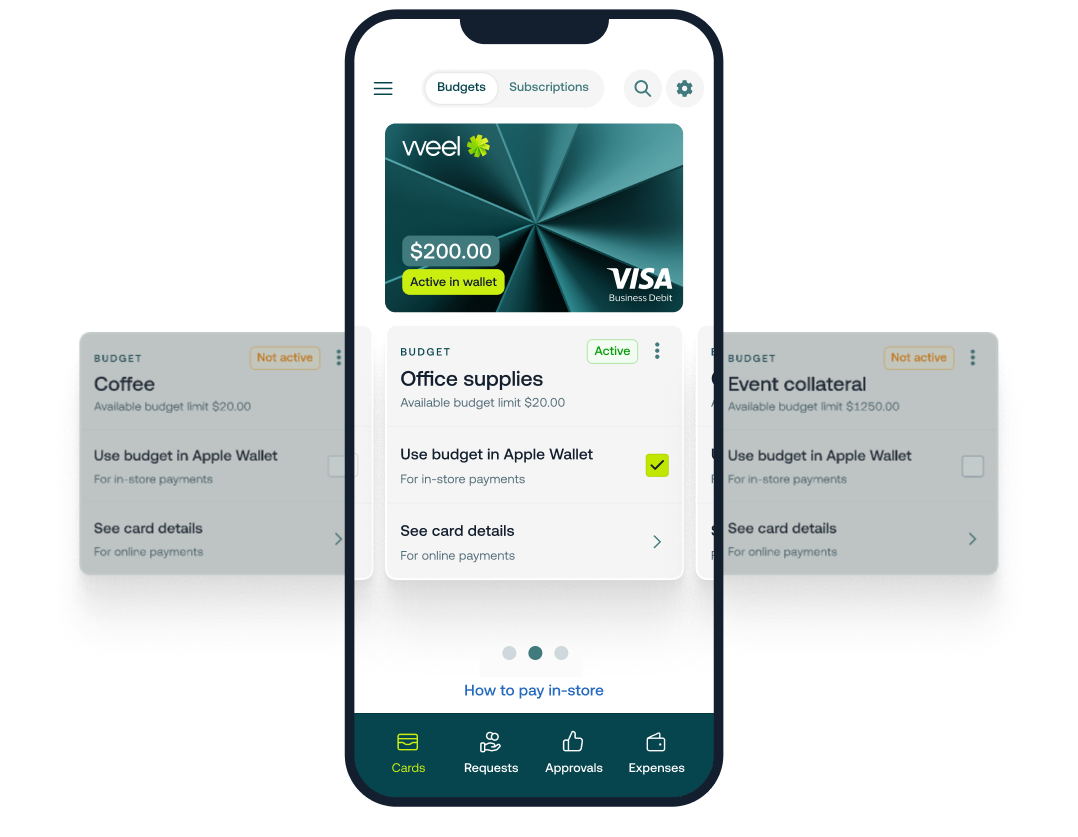
One card. Every budget.

Your team picks which budget they're spending from, before they pay.
Swipe between budgets in the app, then tap to pay.
No wallet full of cards, and no guessing at month-end which cost centre it belonged to.
Every budget accepts card payments, invoices and reimbursement claims.

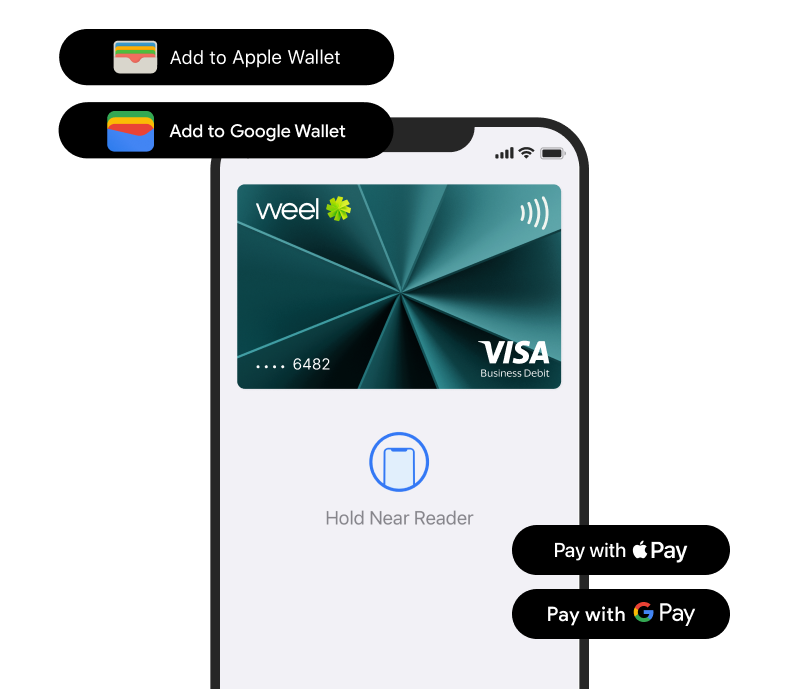
Tap and pay with Apple Pay and Google Pay

The Weel virtual card loads straight into your mobile wallet.
Open your card settings in the Weel app and press Add to Wallet.
Spend limits and policy are enforced at the checkout, so there are no overspends.
Digital card numbers are available for online payments, so all card spending is covered.

Coded, approved and completed for you

Weel AI Agents chase, code and review around the clock, so the expense finishes itself.
AI reads the receipt, applies your GL codes and fills every field for staff.
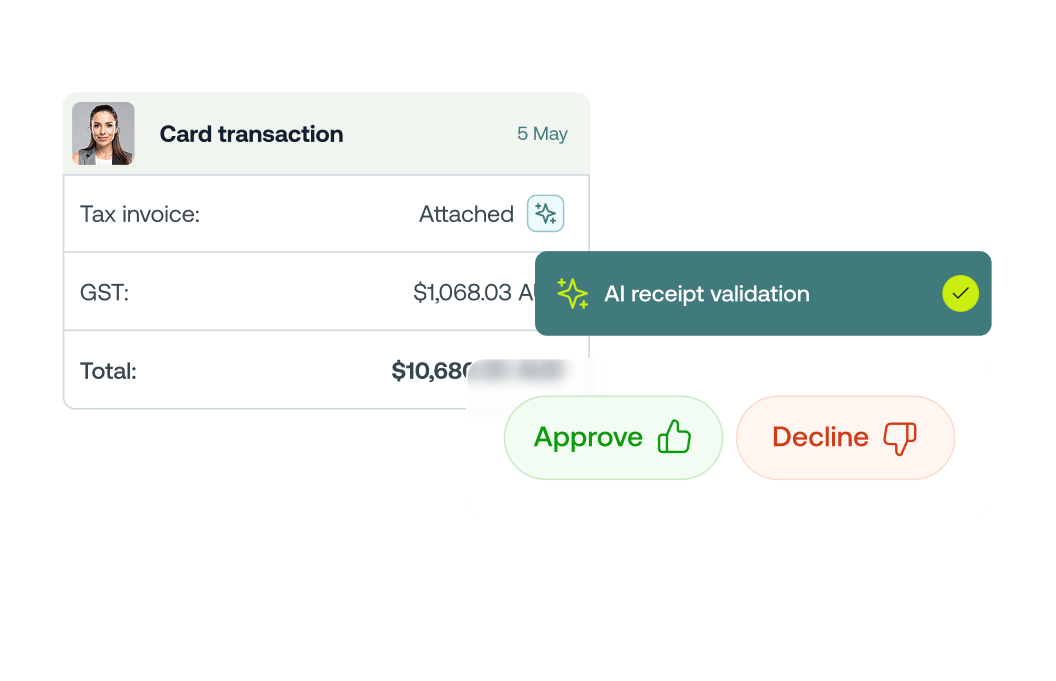
Managers approve, query or send back from a notification on their phone.
Card Blocking feature automatically blocks cards to do the chasing for you. Only unblocking when expense is submitted.

What your team can do from their phone

The Weel app, on iPhone and Android. The same workflow you set up on the web platform runs here.

GST and coding handled

GST is read off the receipt and calculated as the payment is made, and the expense is coded to your general ledger, so tax time takes care of itself.

Snap the receipt, AI does the rest

Capture the receipt with the camera. AI-powered OCR reads the GST, GL code and merchant, auto-categorises the expense and completes it.

Approve expenses on the go

Managers see expenses the moment they are submitted, and can approve, query or send back straight from the notification.

Lodge a reimbursement in a minute

Paid out of pocket? Snap the receipt and lodge the claim from the app. Half of all reimbursements on Weel are paid within 24 hours.

Request budget without the email

Need more for a trip or a project? Send the request to your manager from the app, and get nudged when an expense is still waiting on a receipt.

Reconciled with your accounting system

Everything captured in the app flows through to Xero, MYOB, NetSuite, QuickBooks or Business Central, coded and ready to reconcile.

"We've gone from dealing with around 20 lost receipts a month to zero and my staff are happier being able to make purchases for their day to day jobs without being out of pocket."

Wade Bloomfield
Business Owner, Wade Bloomfield Electrical

Frequently asked questions

Which phones does the Weel app work on?
The app is available for both Android and Apple iOS. Your team downloads it, signs in, and captures receipts from the phone they already carry.
Do I need separate OCR software?
No. Instead of relying on dedicated OCR software, Weel reads and codes receipts instantly inside your existing workflow. No separate platform required.
Can managers approve expenses from the app?
Yes. Managers see expenses queued the moment they are submitted, and can approve, query or send one back straight from the notification. The approval workflow you set up on the web platform runs the same way in the app.
What happens when someone forgets to attach a receipt?
Weel chases it for you. Cardholders are nudged at the right time, and expenses still waiting on a receipt are flagged before they reach month-end rather than after.
Does Weel handle GST on receipts?
Yes. GST is read off the receipt and calculated as the payment is made, and the expense is coded to your general ledger, so you never miss out on a claim.
Which accounting systems does it reconcile with?
Xero, MYOB, NetSuite, QuickBooks and Business Central. Receipts captured in the app flow through coded and ready for a one-click reconcile.
Can I email receipts in instead of using the app?
Yes. Forward receipts to receipts@letsweel.ai from the email address linked to your Weel account, and Weel AI matches each one to the right transaction. It is a shared address, so anyone in your organisation can send to it. Attachments can be PDF, PNG, JPG or HEIC, up to 10MB each. Receipt capture and match is available on Premium and Enterprise plans.
How does AI receipt validation work?
Weel checks each uploaded receipt against tax invoice standards and against the transaction itself, covering legibility, merchant name, currency, amount and GST validity. Anything that does not line up is flagged for review. The warnings are advisory rather than blocking, so nobody is stopped from submitting. AI receipt validation is a paid add-on on Premium and Enterprise plans.

Request a demo

A Weel expert will reach out to discuss your needs
Over 60,000+ cardholders in Australia and New Zealand.
4,000+ finance teams trust Weel to close every expense.
The top-rated corporate card platform in the region.
Weel Dashboard